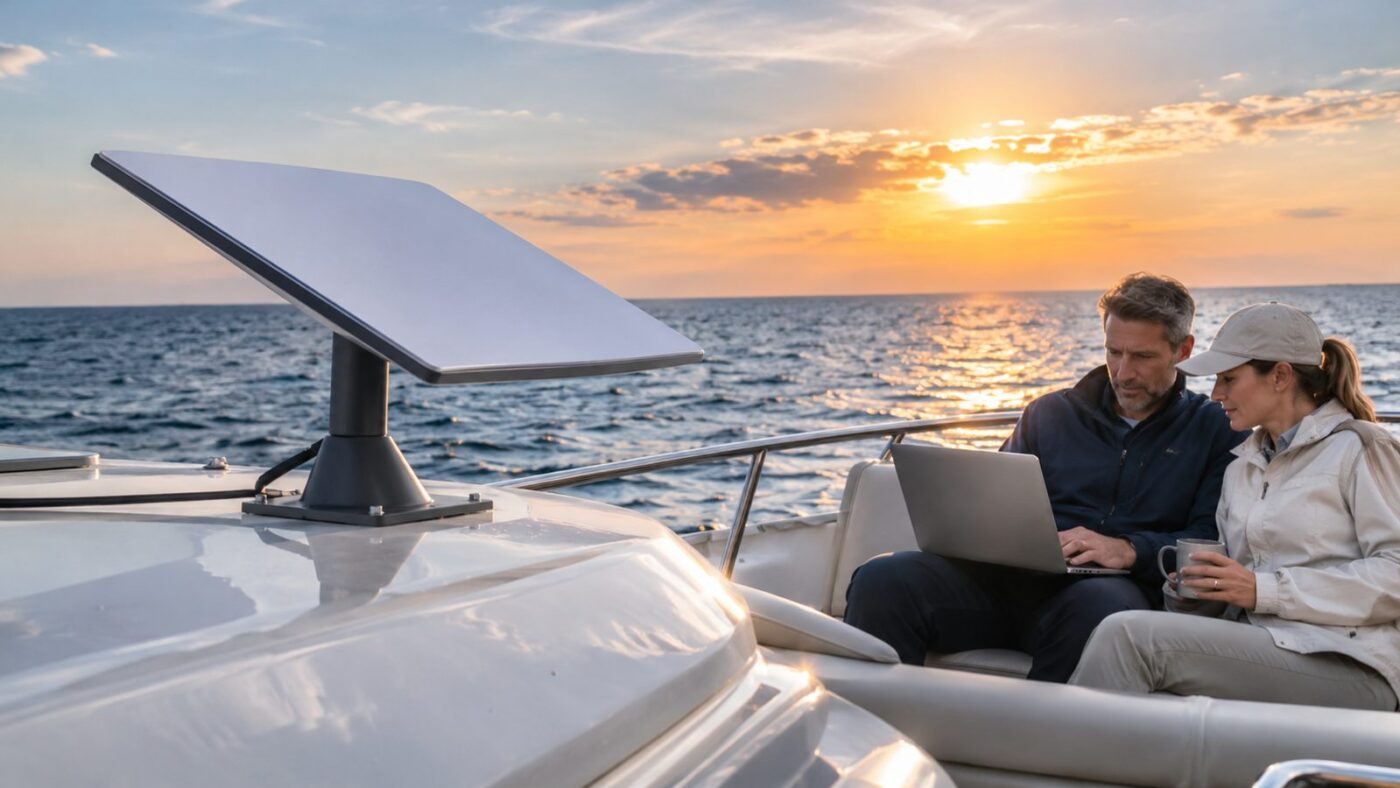
Getting reliable internet on the water no longer means relying entirely on marina Wi-Fi or cellular coverage. Starlink for boats gives U.S. owners another option for work, communication, streaming, and everyday online tasks. The right plan depends heavily on where your boat travels and how often you leave coastal waters. Quick answer: Recreational boat owners can use Roam plans on inland waterways and in coastal areas. Offshore connectivity beyond 12 nautical miles requires Ocean Mode or an appropriate maritime plan. Your best choice depends on data use, cruising distance, vessel size, and whether you need continuous international coverage.
| Key consideration | What U.S. boat owners should know |
|---|---|
| Entry-level service | Roam plans currently start at $55 per month |
| Coastal use | Roam supports boating on inland and territorial waters |
| Offshore use | Ocean Mode is required beyond 12 nautical miles |
| Offshore data | Ocean Mode currently costs $6 per GB |
| Business maritime service | Global Priority plans start at $250 per month |
| Recommended marine hardware | Performance hardware suits demanding marine environments |
| Main limitation | Clear sky visibility remains essential for reliable service |
Starlink currently lists Roam 100GB at $55 monthly, Roam 300GB at $80, and Roam Unlimited at $175. The company says advertised maximum speeds can exceed 300 Mbps, although actual performance varies. Congestion, obstructions, location, weather, and network conditions can all affect results.
How Starlink for Boats Works on the Water
The system communicates directly with low-Earth-orbit satellites instead of nearby cell towers. That makes satellite internet useful where cellular coverage becomes weak or disappears. A terminal still needs a wide, unobstructed view of the sky. Boats create installation challenges that houses and parked RVs do not face. Masts, radar equipment, hardtops, and other structures can interrupt the terminal’s view. Movement also makes hardware selection and mounting more important. Starlink currently allows Roam service on inland waterways and territorial waters in supported locations. Its U.S. Roam page specifically promotes boating use and optional open-ocean coverage. In-motion service availability still depends on local authorization and the selected plan. For readers interested in boating beyond connectivity, MagazineCamp also covers sustainable boat travel and eco-friendly boating practices. That guide offers useful ideas for reducing environmental impact during recreational trips.
Current U.S. Plans and Costs
The cheapest option will not suit every boater. Weekend lake users have different needs from liveaboards or crews crossing open water. Understanding the service zones first can prevent an expensive plan mistake.
| Plan | Current starting price | Best suited to | Main consideration |
|---|---|---|---|
| Roam 100GB | $55/month | Occasional trips | High-speed data allowance |
| Roam 300GB | $80/month | Regular recreational use | Larger monthly allowance |
| Roam Unlimited | $175/month | Frequent travelers | Unlimited high-speed Roam data |
| Global Priority 50GB | $250/month | Business or demanding maritime use | Global and ocean-focused service |
| Global Priority 500GB | $650/month | Small commercial crews | Higher priority allowance |
| Global Priority 1TB | $1,150/month | Heavier business usage | Designed for multiple users |
The current U.S. service page lists the three Roam prices above. Roam 100GB and 300GB switch to lower-speed unlimited data after their allowances. Roam Unlimited provides unlimited high-speed Roam data under the applicable service terms. Business Maritime pricing operates differently. Global Priority currently begins at $250 monthly for 50GB and rises with larger priority-data packages. Those plans target commercial operations and users needing ocean-focused coverage.
Which Plan Makes Sense for Most Boat Owners?
A weekend boater on U.S. lakes may find the 100GB option sufficient. Regular cruisers who stream or work remotely may benefit from 300GB or Unlimited. Heavy video use can consume a smaller allowance quickly. Roam Unlimited becomes more attractive for frequent coastal travel. It also supports international use under current plan conditions. Boaters planning lengthy international trips should check current travel limits before departure. Commercial vessels have different requirements. Global Priority provides business-oriented service and ocean coverage options. Its higher price makes it unnecessary for many recreational owners.
What Happens When You Go Offshore?
Distance from shore changes the service rules. Starlink defines Ocean Mode around coverage beyond 12 nautical miles from land. Users must enable that mode when they need connectivity in international waters. Ocean Mode currently costs $6 per GB. Billing starts after the feature is enabled and continues until it is manually disabled. Leaving it switched on can therefore create unexpected charges. This pricing matters for remote workers and streaming-heavy households. A large software download or several hours of high-resolution video can use significant data. Offshore users should monitor consumption through their account before running bandwidth-heavy tasks. Ocean Mode also provides higher network priority than standard Roam data. It can provide unlimited territorial-water use while enabled. Owners should still verify current account terms before a long passage because service policies can change.
Choosing the Right Dish and Hardware
Hardware selection matters as much as the monthly plan. Starlink’s installation guidance currently supports Performance, Performance Gen 2, Standard 4, and Standard 4 X hardware on vessels. The company recommends Performance models for tougher marine environments. Performance hardware has a wider field of view than some Standard options. That can help around marinas or structures that partially block the sky. Marine installations also benefit from equipment designed for movement and demanding weather. Standard hardware may still work for simpler recreational setups. A stationary lake boat with an open deck presents fewer challenges than a moving offshore vessel. Buying the most expensive equipment is unnecessary when a lower-cost kit meets your cruising pattern. Power consumption also deserves attention. Satellite equipment adds another continuous electrical load aboard the vessel. Owners should calculate battery capacity, charging sources, and overnight usage before finalizing an installation. For broader technology reading, the Tech Archives at Magazine Camp covers connectivity, devices, and related digital topics. It can be useful when planning other onboard technology upgrades.
How to Install the System on a Boat
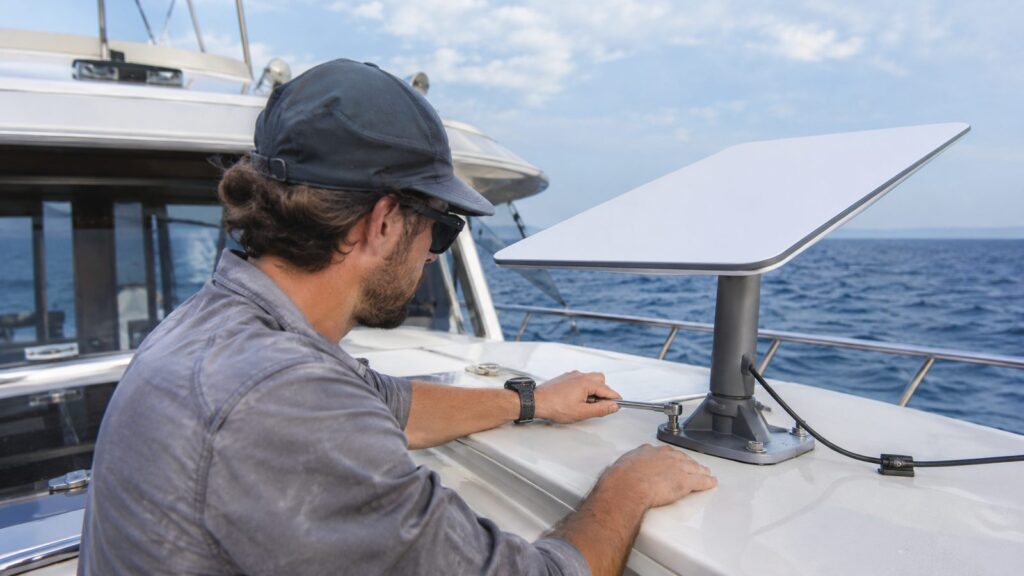
Start by identifying a mounting position with the clearest possible sky view. Use the official app to check potential obstructions before drilling or permanently attaching hardware. Masts and radar equipment should not repeatedly block the terminal. Next, choose a secure mount appropriate for the vessel and terminal. Marine movement places more stress on hardware than a fixed residential installation. Cables should also be protected against abrasion, water exposure, and accidental pulling. Route power and network connections carefully through the vessel. Avoid creating water-entry points around cable penetrations. Any deck opening should receive appropriate marine sealing and strain relief. Finally, test the connection at the dock before relying on it during a trip. Check performance while the vessel changes heading and while nearby equipment operates. Starlink recommends using its app during setup and obstruction testing.
Pros and Cons for U.S. Boaters
The strongest advantage is access away from normal terrestrial networks. Satellite connectivity can support remote work, weather research, communication, entertainment, and ordinary browsing. It can also reduce dependence on inconsistent marina Wi-Fi. Speeds can be much higher than older marine satellite systems. Installation is also accessible to many recreational owners. Monthly Roam pricing starts well below dedicated commercial maritime packages. There are tradeoffs, however. Obstructions can cause interruptions, and offshore data can become expensive at $6 per GB. The equipment also consumes power that smaller boats must budget carefully. The system should never replace dedicated marine safety equipment. A satellite internet connection is useful for communication, but availability is not guaranteed. Maintain appropriate radios, emergency beacons, navigation equipment, and established safety procedures.
A Practical Recommendation by Boating Style
Lake and river boaters should usually start with a lower-capacity Roam plan. The $55 100GB tier provides a relatively low-cost entry point. You can move upward later if monthly usage proves higher. Frequent coastal cruisers should compare the 300GB and Unlimited options. Unlimited can make sense for remote work, regular streaming, or several connected passengers. Coastal rules should still be reviewed before extended trips. Offshore recreational cruisers need to budget carefully for Ocean Mode. At $6 per GB, data management becomes part of passage planning. Download entertainment, charts, updates, and large files before leaving inexpensive connectivity. Commercial operators should examine Global Priority plans instead. Those plans are structured for maritime businesses and heavier operational demands. Current packages begin at $250 monthly. International cruisers should also keep travel documentation organized before leaving U.S. waters. MagazineCamp’s U.S. travel document number guide explains common passport and travel-document identifiers.
Is It Worth It?
For many recreational boaters, the answer is yes when reliable internet matters. The strongest use cases include remote workers, liveaboards, families, and owners who spend significant time outside cellular coverage. Occasional boaters who remain near strong mobile networks may not need another subscription. The decision becomes less simple offshore. Pay-per-gigabyte ocean pricing can increase costs quickly during data-heavy use. A realistic monthly data estimate is more useful than choosing a plan based only on advertised speed. Start by mapping where you normally cruise. Then estimate your monthly data use and decide whether open-ocean service matters. That approach usually identifies the appropriate plan without paying for unnecessary capability.
Frequently Asked Questions
How much does Starlink for boats cost in the United States?
Roam currently starts at $55 monthly for 100GB in the United States. The 300GB plan costs $80, while Roam Unlimited starts at $175 monthly. Offshore Ocean Mode currently adds usage charges of $6 per GB.
Can I use it while my boat is moving?
Supported Roam and Priority plans allow in-motion use in authorized locations. Current guidance includes maritime use within inland and territorial waters under eligible plans. Always check local authorization when operating outside the United States.
Does it work in the middle of the ocean?
Service beyond 12 nautical miles requires an eligible ocean option. Roam Unlimited users can enable Ocean Mode for international-water coverage. Ocean Mode currently costs $6 for each gigabyte used.
What hardware is best for a boat?
The Performance models are the company’s recommended choice for demanding marine environments. They provide a wider field of view and are designed around mobile applications. Standard hardware can still suit less demanding recreational installations.
Can I pause service during the off-season?
Current Roam plans support Standby Mode for easier seasonal management. This feature allows customers to pause normal service and reactivate it when needed. Check the current account price before using Standby Mode.
Final Takeaway
Starlink for boats can provide practical high-speed connectivity for U.S. owners who spend time beyond reliable cellular coverage. Roam plans make inland and coastal use accessible, while Ocean Mode extends connectivity offshore. The right setup depends more on cruising habits and data consumption than headline speed. Before buying hardware, identify where your vessel normally travels and estimate monthly usage. Confirm the latest plan terms directly with the provider because pricing and geographic rules can change. Then choose the least expensive combination that reliably covers your real boating needs. —